What is VMOS Cast
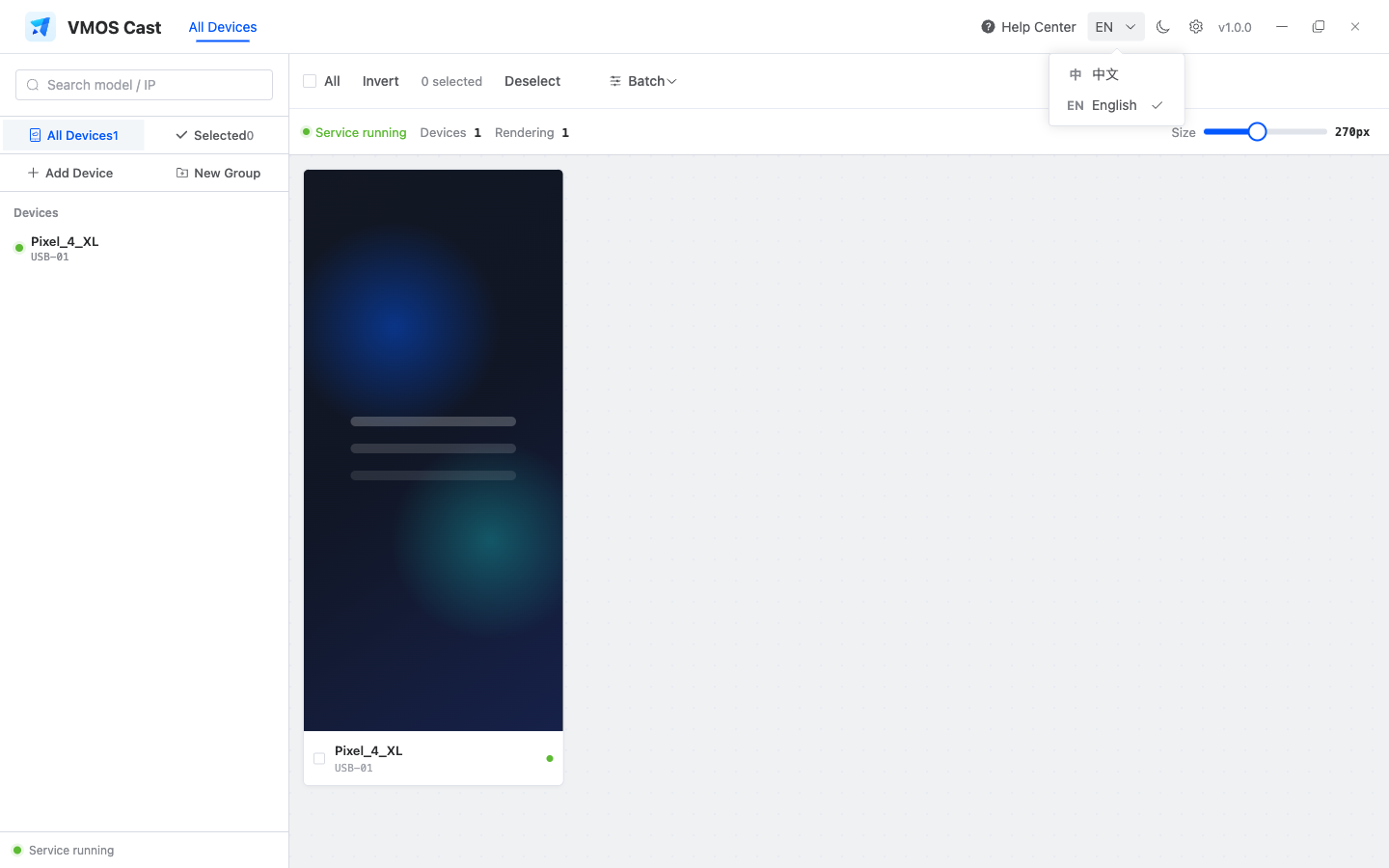
VMOS Cast is a phone control client that runs on your computer. It gathers the screens of Android phones on your local network (physical phones or cloud phones) onto your PC as a single "device wall," and lets you drive those phones in reverse with your mouse and keyboard — control one phone precisely, or operate many at once.
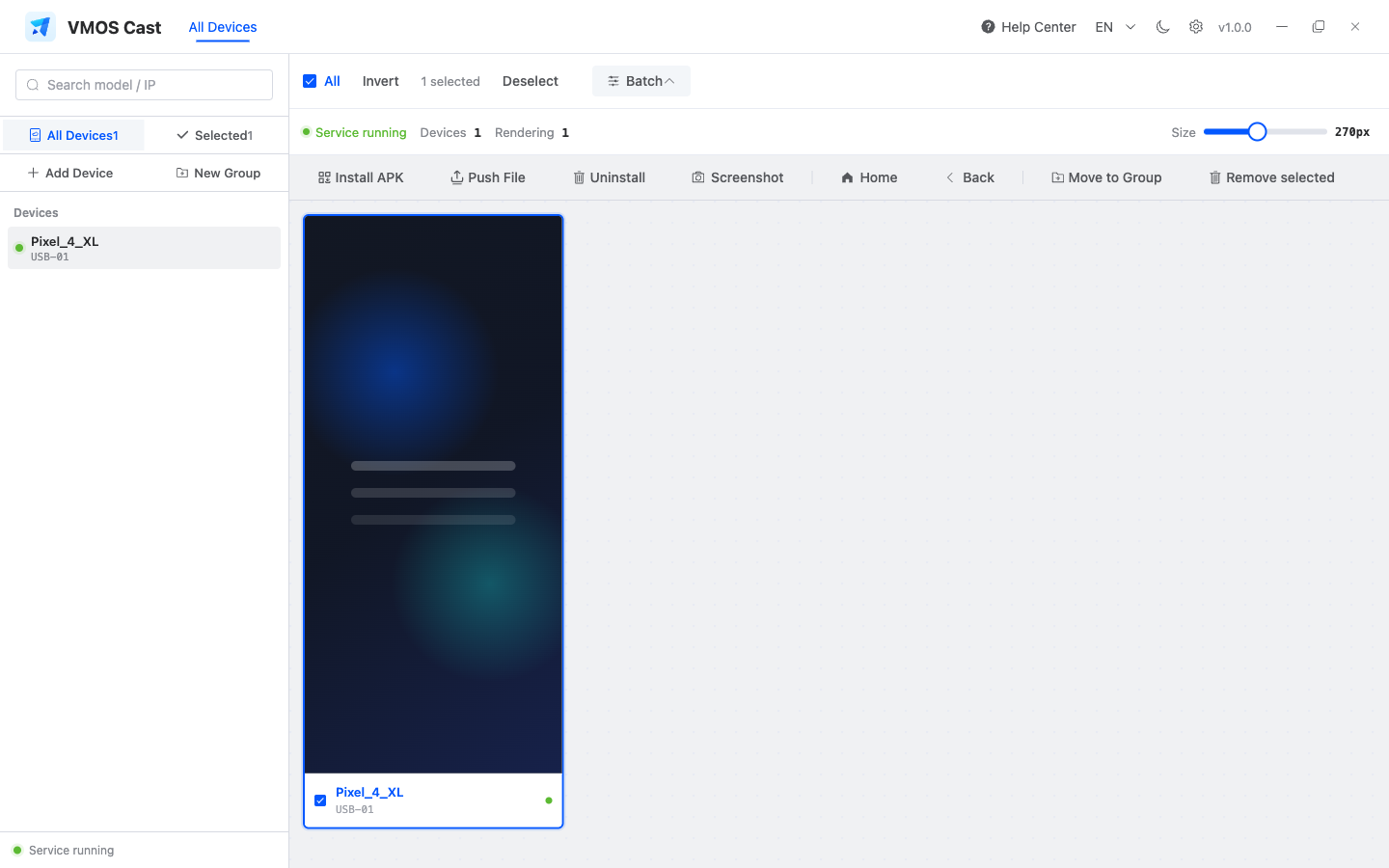
After selecting multiple devices, the top toolbar lets you batch-install APKs, push files, uninstall apps, and capture screenshots:
What it can do
| Capability | Description |
|---|---|
| Multi-device screen wall | See dozens of phone screens live on one display, with resizable windows, search/filter, and grouping |
| Reverse control | Open any device and click, drag, and type with your mouse — just like holding the phone in your hand |
| Batch control | Select multiple devices and run batch install, push, uninstall, screenshot, Home, or Back |
| Batch operations | Batch-install APKs, push files, take screenshots, and uninstall apps |
| Screenshot & text input | Capture a single device and type through the computer keyboard or text box |
Common use cases
| Use case | Typical workflow |
|---|---|
| Testing and acceptance | Watch multiple real devices side by side and catch model-specific differences quickly |
| Operations monitoring | Group devices by business line and monitor online status from one wall |
| App distribution | Select devices and batch-install the same APK |
| Cloud phone management | Enter cloud-phone IPs and bring them into one controllable wall |
| Live demo and capture | Open one device in the control window, then capture screenshots |
Three common questions, up front
Do I need to install an app on the phone?
No. VMOS Cast is built on the open-source scrcpy technology. When you connect, it temporarily injects a small program over adb, which stops working the moment you disconnect. Nothing stays installed on the phone, and no root is required.
Is my data uploaded to the cloud?
No. All screens and control commands travel only between your computer and the phone (within the local network). No cloud server is involved. It works even without internet access, as long as the local network is up.
What do I need on my computer?
Installing the adb tool (Android Debug Bridge) is recommended. USB physical phones and batch operations use it; cloud phones with network debugging enabled can be scanned or added by address first. If you've never installed it, see FAQ: How to install adb.
Supported systems
| Platform | Installer | Notes |
|---|---|---|
| macOS | .dmg | Apple Silicon (M-series chips) |
| Windows | .exe | Windows 10 and above, 64-bit |
| Linux | .AppImage | x86_64 |
Head to the official download page for the latest version.
Next steps
- Just getting started? See Quick Start: Download & Install
- Want the full interface and feature walkthrough? See Complete Product Manual
- Want to know which type your device is? See Physical phones vs. cloud phones