Release History
This page records public VMOS Cast releases in reverse chronological order.
2026
August 17, 2026
| Module | Platform / Arch | Version | Download | Notes |
|---|---|---|---|---|
| Windows Client | x86_64 | 1.0.6 | Download | Windows 10 / 11 |
| macOS Client | Apple Silicon | 1.0.6 | Download | M-series chips |
| macOS Client | Intel x86_64 | 1.0.6 | Download | Intel chips |
| Linux Client | x86_64 | 1.0.6 | Download | AppImage |
VMOS Cast v1.0.6 Release Notes:
Fixes & Improvements
- Reduced memory usage and improved stability during long sessions
August 14, 2026
| Module | Platform / Arch | Version | Download | Notes |
|---|---|---|---|---|
| Windows Client | x86_64 | 1.0.5 | Download | Windows 10 / 11 |
| macOS Client | Apple Silicon | 1.0.5 | Download | M-series chips |
| macOS Client | Intel x86_64 | 1.0.5 | Download | Intel chips |
| Linux Client | x86_64 | 1.0.5 | Download | AppImage |
Windows users
When opening the installer for the first time, Windows may show "Windows protected your PC" — this is Microsoft SmartScreen's normal notice for newly published software. Click "More info" → "Run anyway" to proceed.
VMOS Cast v1.0.5 Release Notes:
🎉 New Features
- Interface languages expanded from 2 to 21, with Arabic and Urdu using a right-to-left layout
- New "Wireless debugging" connection: phones on Android 11 and above connect without a cable. Click a device marked "pairing required" in the scan list to open the pairing wizard, pair once by following the prompts, and the device connects on its own from then on — including after a reboot
- The same device can now be operated from several computers at once, instead of one holding control while the others could only watch
- Much higher frame rate in the device list, so previews stay closer to real time even with many devices at once; the phone is no longer kept busy while the window sits in the background
- "Restart" and "Shut down" added to the device card right-click menu, executed after a confirmation prompt and disabled for offline devices; before shutting down you are told that the device cannot be powered on remotely and has to be started by hand
- New "Status" filter on the device list: filter by online, connecting, screen off, cannot cast, connection failed and offline, each showing a live device count
- Some devices can keep casting on protected pages: when the phone sits on a password, payment or copyright-protected video page, you can still see the picture and tap it, and even type the lock screen PIN on the big screen; the live picture returns once the phone leaves that page (whether the picture appears depends on the device's system)
- New quality settings for big screen windows: choose the frame rate and picture quality yourself
- New "Screen off / Wake" button in the big screen sidebar, switching automatically with the phone's current state
- The initial big screen size now follows the picture's aspect ratio, so ultra-wide displays are no longer shown as a narrow strip
- A USB-connected device can be added as a LAN connection in one click and keeps working after you unplug the cable
- Device details now distinguish how a device is connected: USB, LAN or wireless debugging
- Removing devices now asks for confirmation and explains that saved addresses go with them, so they will not reconnect on the next start
- Update prompts gain "View full release notes" and "Skip this version"
- Exported logs now include information collected from the device, so you no longer need to send it separately when reporting an issue
- Compatible with more older devices: Android 8 and above
🎊 Fixes & Improvements
- Fixed the picture freezing completely while the phone itself and the controls stayed fine (more common on large-screen devices such as ultra-wide and foldable displays)
- Fixed the big screen window showing no picture when the same device was already connected from another computer
- Pictures appear in the device list noticeably faster after the app starts
- Closing one big screen window and immediately opening another no longer makes you wait
- Raising the device list frame rate now actually makes the picture keep up
- When a phone reaches the lock screen PIN page, the card no longer shows "connection failed" first and corrects itself to the security notice a moment later
- Fixed "Push files" reporting success while nothing arrived on the device, and selected devices being skipped so that nothing appeared to happen; the destination folder is now shown, and failures are reported per device with a reason
- Fixed large numbers of cards getting stuck on "an older client is still in use" and not recovering even after clicking "Check again"
- Fixed Android 8 devices becoming unreachable after a period of use
- Fixed Android 8 devices wrongly reporting "cannot cast" when opening a big screen window
- "Device offline" and "Connection failed" now use the same wording on the device list and in the big screen window
- The protected-page notice now explains what triggers it instead of naming only passwords and payments — copyright-protected video pages trigger it too
- Clearer messages when updating the service on a device: it says so when the device is already up to date, and tells you to close the big screen window or other computer using it first
- Fixed the app not actually quitting when the main window was closed while "Minimize to tray on close" was unchecked
- Fixed the oversized tray icon and switched it to a monochrome style consistent with the macOS menu bar
- Fixed big screen settings only taking effect the second time you opened a big screen window
- Fixed labels and controls not lining up on some settings rows, and description text using the wrong colour
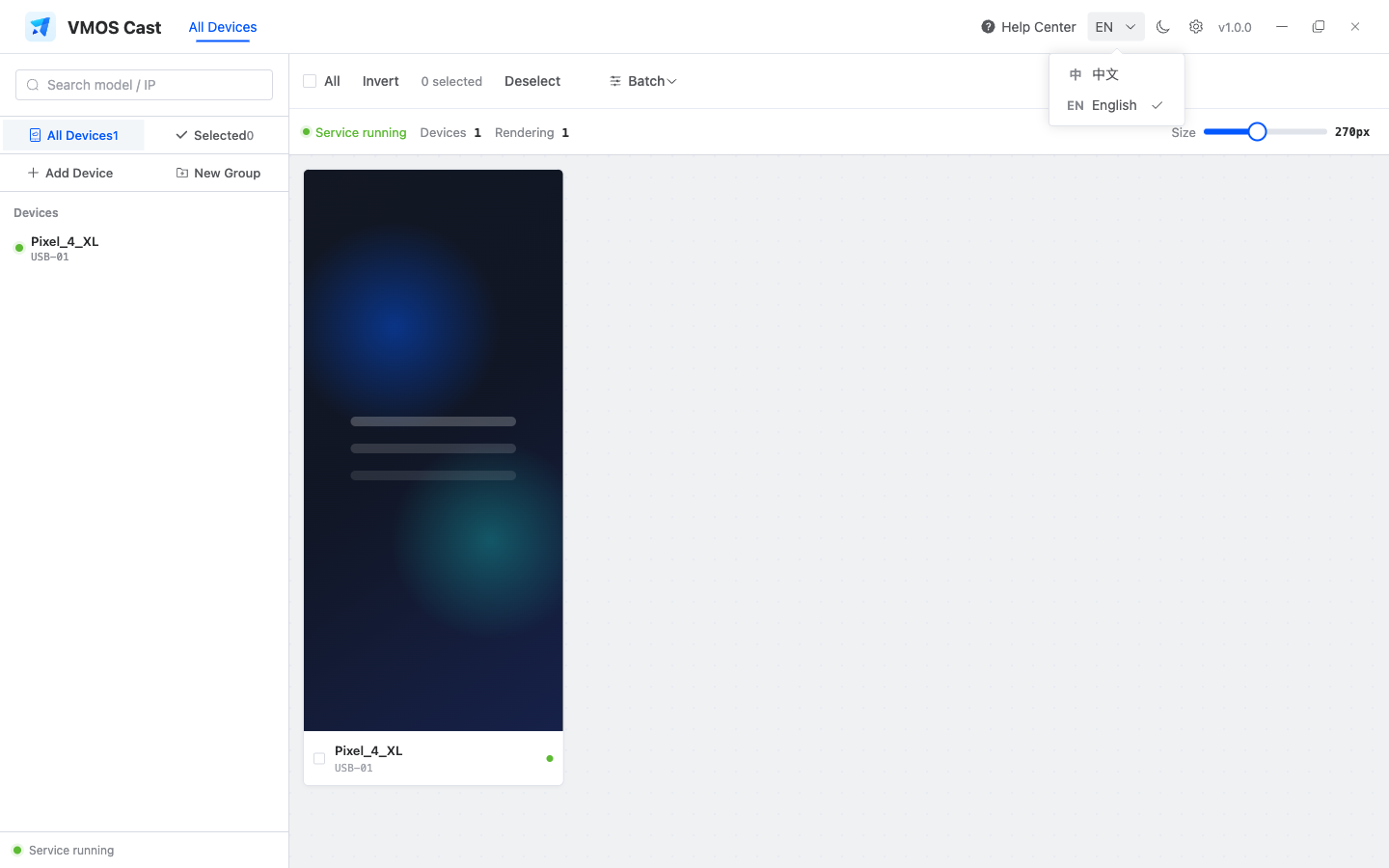
- The language menu now fits on one screen, so you no longer have to scroll to find yours
- Fixed Chinese text rendering too thin with unclear weight contrast on Windows
- Improved update prompts and download progress
- Fixed USB devices failing to connect on some computers
- The picture now fades in when it appears, making transitions gentler
- Clearer notices when video, audio or control is turned off for a big screen window
- Fixed big screen title bar buttons not responding to hover, and added a tooltip to each of them
July 25, 2026
| Module | Platform / Arch | Version | Download | Notes |
|---|---|---|---|---|
| Windows Client | x86_64 | 1.0.4 | Download | Windows 10 / 11 |
| macOS Client | Apple Silicon | 1.0.4 | Download | M-series chips |
| macOS Client | Intel x86_64 | 1.0.4 | Download | Intel chips |
| Linux Client | x86_64 | 1.0.4 | Download | AppImage |
VMOS Cast v1.0.4 Release Notes:
New Features
- New "Aggregate Wall": pick a group and put the whole group in one window to watch and operate together — every screen can be tapped and controlled directly. Open it from the "Aggregate Wall" button at the top or the icon at the end of a group row in the sidebar
- Aggregate Wall has "Auto Arrange": one click fits every screen into the window, and landscape car units mixed with portrait phones still line up neatly
- In the Aggregate Wall you can drag a screen by its title to move it and drag its bottom-right corner to resize it; enlarging or maximizing the window enlarges every screen with it
- Each screen's title can switch between model name and connection name with one click and remembers your choice
- The device wall now marks which devices already have a big screen window open — click it to bring that window to the front
- "Add Device" and "Scan Devices" are now one window: addresses you type in (paste many lines at once) and devices found by scanning appear in the same list, and you add them all at once
- Every device in that list is checked automatically and labelled reachable / no response / pairing required / already added — only ones you can actually connect to can be selected
- You can enter several ranges to scan, or leave it empty and let the app find devices on your local network by itself
- Choose which group to put devices into right when you add them
- Devices you saved that are currently unreachable now still show on the device wall (they used to be added but invisible) and turn online by themselves once the device comes up
- The sidebar width can be dragged, and stays the way you set it next time
- You can copy text from the terminal in the big screen window (Cmd+C on Mac, Ctrl+Shift+C on Windows and Linux)
- Before sharing logs, the app checks whether the system share options are available and walks you through enabling what is missing (Mac only)
Fixes & Improvements
- Big screen windows open much faster: from clicking a device to seeing its picture is down from about 2.5s to under 0.5s, with no lag when the window opens
- After typing Chinese, the text left behind on the device clipboard is cleared automatically
- When a device stays unreachable, the app stops retrying endlessly and tells you "connection timed out" instead
- Sidebar group order fixed: the default group stays on top and your own groups follow in the order you created them; click a group you already selected to clear the filter and go back to all devices
- The sidebar "Move to group / Remove selected" bar moved to the bottom and only appears when devices are selected; devices inside a group now follow the same order as the device wall
- Status messages (connection failed, device disconnected, connection timed out, video off) now look consistent across the device wall, big screen window and Aggregate Wall, and loading states switch more smoothly
- The card right-click menu is back to a vertical menu with labels (Rename / Device details) instead of icons only
- Fixed devices you removed occasionally coming back to the device wall by themselves
- Fixed older versions of the client possibly rolling the service on the device back to an older version
July 17, 2026
| Module | Platform / Arch | Version | Download | Notes |
|---|---|---|---|---|
| Windows Client | x86_64 | 1.0.3 | Download | Windows 10 / 11 |
| macOS Client | Apple Silicon | 1.0.3 | Download | M-series chips |
| macOS Client | Intel x86_64 | 1.0.3 | Download | Intel chips |
| Linux Client | x86_64 | 1.0.3 | Download | AppImage |
VMOS Cast v1.0.3 Release Notes:
New Features
- New "Run Commands in Batch": select multiple devices, enter a command and run it on each device with per-device results
- New "Copy Device Info": pick the fields you need (brand, model, IP, resolution, etc.) and copy the info of multiple devices at once
- New "Batch Install / Push Files": install an apk to many devices at once (existing apps with the same package are updated in place), or push files to devices in batch
- New terminal panel in the focus window: a real interactive shell with directory state, Ctrl+C, command history and CJK output, for both USB and LAN devices, with light/dark theme support
- New device alias: right-click a device card to rename it — applied instantly in the wall and sidebar, and kept across restarts
- New secure-screen and screen-off notices: when a device sits on a protected page (password, payment, etc.) or its screen is off, the card and focus window show a clear notice (with a one-click wake button) instead of a black screen or a false "connection failed"
Fixes & Improvements
- Fixed "connection failed" on some Xiaomi Android 16 (HyperOS) devices in the device wall
- Fixed a black focus window on ultra-wide / very high-resolution devices — stream resolution now adapts to your computer's hardware decoding capability
- Fixed landscape devices opening a tiny focus window with large empty margins — the window now fits the frame's orientation automatically
- More reliable connection state: readiness is confirmed by an actual service response and network routing is chosen only after that, fixing occasional "connection failed" during cold start on some devices
- Fixed devices with a lock-screen PIN, and certain cloud devices, being shown as "connection failed" or emptying the whole device list
- Chinese text input improvements: the best injection method is chosen per device type, occasional duplicated characters on rapid input are fixed, and typing no longer pollutes the device clipboard history
- The IME candidate bar now pops outside the right edge of the window and no longer covers the mirrored screen
- Fixed Cmd/Ctrl+V not pasting your computer's clipboard into the device in the focus window
- Fixed gradual stability degradation and stutter caused by accumulated local connection resources over long sessions
- The device wall now recovers automatically when the on-device service is interrupted externally (restart, or killed by another tool) — no manual reconnect needed
- The device wall and focus window recover automatically after replugging the cable or rebooting the device
- Unified offline style: offline devices keep their last frame under a translucent "Device offline" veil
- Smoother drag-resize of the focus window (upgraded the underlying framework to remove edge-drag jitter)
- During a brief video reconnection, the window now shows "Connecting in HD" instead of falsely popping "Resizing"
July 12, 2026
| Module | Platform / Arch | Version | Download | Notes |
|---|---|---|---|---|
| Windows Client | x86_64 | 1.0.2 | Download | Windows 10 / 11 |
| macOS Client | Apple Silicon | 1.0.2 | Download | M-series chips |
| macOS Client | Intel x86_64 | 1.0.2 | Download | Intel chips |
| Linux Client | x86_64 | 1.0.2 | Download | AppImage |
VMOS Cast v1.0.2 Release Notes:
New Features
- New right-click menu and "Device Details" on cards — view a device's connection type, system version, resolution and more, and check for device-side updates
- Added screenshot support for Android 16 devices
- Redesigned sidebar device tree: collapsible groups, a group checkbox to select all at once, and a dialog to move devices between groups
- A brand-new casting window: top info bar + right toolbar + bottom three-button row, with the image filling the frame and no black bars
- Three casting-window styles: Standard / Minimal / Immersive, switchable with one click
- New maximize button for the casting window (fills the workspace proportionally, keeping the picture's aspect ratio)
- The casting window auto-fits the image's aspect ratio, and resizing locks the proportions so the picture never distorts
- Foldable open/close and screen rotation now transition smoothly, with no black screen
- A frozen picture on foldable devices is detected and recovered automatically
- Added casting audio output — toggle sound on or off in settings
- New casting channel switches to control picture / sound / reverse control separately
- The casting window supports Chinese input (Pinyin IME)
- Group control is now a toggle with an illustrated first-time walkthrough; tap any device's screen to make it the leader and the other selected devices follow along
- The device-side service stays up to date automatically — no manual updates needed
Fixes & Improvements
- Casting several devices at once is smoother and much easier on your computer's CPU and bandwidth, thanks to an efficient screenshot-based stream
- The device wall opens instantly — the device service stays resident in the background and is reused when you reopen the app, no more cold-start wait
- USB devices appear the moment you plug in — connect the cable and the device shows up on the wall automatically, no manual refresh
- Works even if your computer has never had adb installed — USB just works out of the box
- After replugging the cable or restarting a device, the device wall and casting window recover automatically — no manual reconnect
- Richer device card info: brand + model, IP (click to copy), resolution and system version
- Card info stays stable after a restart — no more flicker or jumping values
- The "connecting" placeholder is now a skeleton animation, clearer than a spinner
- Device search moved to the top status bar, filtering the sidebar device tree in real time
- Device info now refreshes in real time each time you open the app or a device comes online — no more stale cached data
- The casting window now opens at the device's real resolution, no more starting small then jumping bigger
- The casting window opens faster
- New "Share Logs" in settings — on macOS you can share straight to DingTalk and others (handy for support)
- The online-update dialog now shows what's new in this release
- Redesigned empty-state guide for the device wall
- Fixed Chinese input adding an extra letter for the first Pinyin key
- Fixed shortcut keys (Ctrl/Cmd + A/C/V, etc.) not working in the casting window
- Fixed "Restore Defaults" also changing the main window's size and position
- Fixed sidebar labels sticking together and selected-row text overflowing in the English interface
- Fixed check-for-update failures showing a raw error, now a friendly message
- Fixed leftover processes after an abnormal exit causing a blank screen or "port in use" on the next launch
- Fixed the casting window occasionally showing the wrong resolution
- Fixed the title bar showing/hiding erratically in Immersive style on macOS — it now auto-hides after a few seconds idle and reappears when you move the mouse to the top of the window
- Fixed the "device-side version" in Device Details showing a fixed value — it now shows the real version
July 5, 2026
| Module | Platform / Arch | Version | Download | Notes |
|---|---|---|---|---|
| Windows Client | x86_64 | 1.0.0 | Download | Windows 10 / 11 |
| macOS Client | Apple Silicon | 1.0.0 | Download | M-series chips |
| Linux Client | x86_64 | 1.0.0 | Download | AppImage |
VMOS Cast v1.0.0 Release Notes:
New Features
- Added cable connection — a second option besides WiFi, more stable and lower latency
- Added LAN scanning — automatically finds phones on the same network, just select to add
- Added device groups — create groups, sort devices, and view by group
- Added device search — quickly find a device by model or IP
- You can remove offline devices you no longer use, so they stop taking up space
- When there are no devices, the app guides you on how to connect
- On startup, previously added devices reconnect automatically — no need to re-enter them
- Adding devices supports pasting several addresses at once
- Removing a device disconnects it automatically, so it won't pop back up next time
- Complete UI overhaul with a brand-new design
- The casting window is now a separate window and no longer covers the device list
- Added a settings page (theme, theme color, window size, quality, display size, and more)
- Dark / light theme switch
- Chinese / English switch
- New app icon and logo
- Casting quality adjusts automatically to the window size
- Selecting a device now highlights the whole card, clearer at a glance
- Check for updates, download, and install right inside the app
- One-click log export, handy to send to support for troubleshooting
- Casting service restarts automatically after a hiccup
- Devices reconnect automatically after dropping offline
- Smaller installer (macOS installer down from 107MB to 88MB)
Bug Fixes
- Fixed batch install, file transfer, uninstall, and screenshot not working
- Fixed PC keyboard typing not reaching the phone
- Fixed mouse scroll wheel, right-click Back, and middle-click Home not working
- Fixed remote typing and group broadcast not working in the casting window
- Fixed the "port in use" message when reconnecting after an abnormal exit
- Fixed wrong picture proportions and black bars in the casting window
- Fixed casting being interrupted when opening/closing settings
- Fixed "Restore Defaults" not taking effect
- Fixed scan results being overwritten by consecutive scans
- Fixed the picture going to the wrong device when connecting several at once
- Fixed device wall refresh causing high CPU usage
July 3, 2026
| Module | Platform / Arch | Version | Download | Notes |
|---|---|---|---|---|
| Windows Client | x86_64 | 0.1.0 | Download | Windows 10 / 11 |
| macOS Client | Apple Silicon | 0.1.0 | Download | M-series chips |
| Linux Client | x86_64 | 0.1.0 | Download | AppImage |
VMOS Cast v0.1.0 Release Notes:
First public release: multi-device screen wall, reverse control, synced group control, batch install, push files, batch uninstall, batch screenshot